

Get the UETR from the sending bank the moment you initiate a transfer, then query your bank’s SWIFT GPI Tracker, Basic Tracker, or corporate-to-bank API to pull a live status. That single reference number is the fastest, most reliable way to locate a business payment and reconcile it against your books.
Before you do anything else, gather three items:
- The UETR (a 36-character identifier).
- The payment date, amount, and ordering IBAN.
- Any beneficiary reference the receiving side expects.
Once you have those, your next move is procedural, not investigative:
- Map the UETR to the corresponding invoice or payment batch in your accounting system.
- Capture a screenshot or export of the Tracker status for your audit trail.
- Flag anything showing “pending” for more than the normal settlement window.
Key Takeaways
Tracking a business transfer reliably requires capturing the UETR at send time and using it as the single canonical reference across banking, accounting, and audit systems.
| Point | Details |
|---|---|
| Capture the UETR immediately | Save the 36-character reference from your payment confirmation before doing anything else. |
| Use the right tracking surface | Query your bank’s gpi Tracker, the free Basic Tracker, or a corporate API for live status. |
| Escalate with evidence | Send an MT199 or ISO 20022 inquiry with the UETR, timestamp, and debit confirmation attached. |
| Reconcile on UETR first | Fall back to amount plus timestamp only when no UETR exists, and log exceptions separately. |
| Choose infrastructure built for this | Demivolt’s business accounts route SEPA and SWIFT payments with tracking data built into the workflow. |
Table of Contents
- How Do You Track a SEPA or SWIFT Money Transfer?
- What Are UETR, SWIFT GPI, and the SWIFT Tracker?
- How Do You Integrate Payment Tracking Into Your Finance Stack?
- What Are the Best Practices for Reconciliation and Exception Handling?
- Why Is My Wire Transfer Delayed and How Do You Fix It?
- How Do You Track a Payment Without a UETR?
- Why UETR Should Be Your Canonical Payment Key
- How Demivolt Simplifies Payment Tracking and Reconciliation
- Where to Read More on SWIFT Tracking Standards
- Frequently Asked Questions
- Sources
How Do You Track a SEPA or SWIFT Money Transfer?
Tracking a cross-border or SEPA payment comes down to four repeatable steps. Skip any one of them and you end up on the phone with your relationship manager, which is exactly what this process avoids.
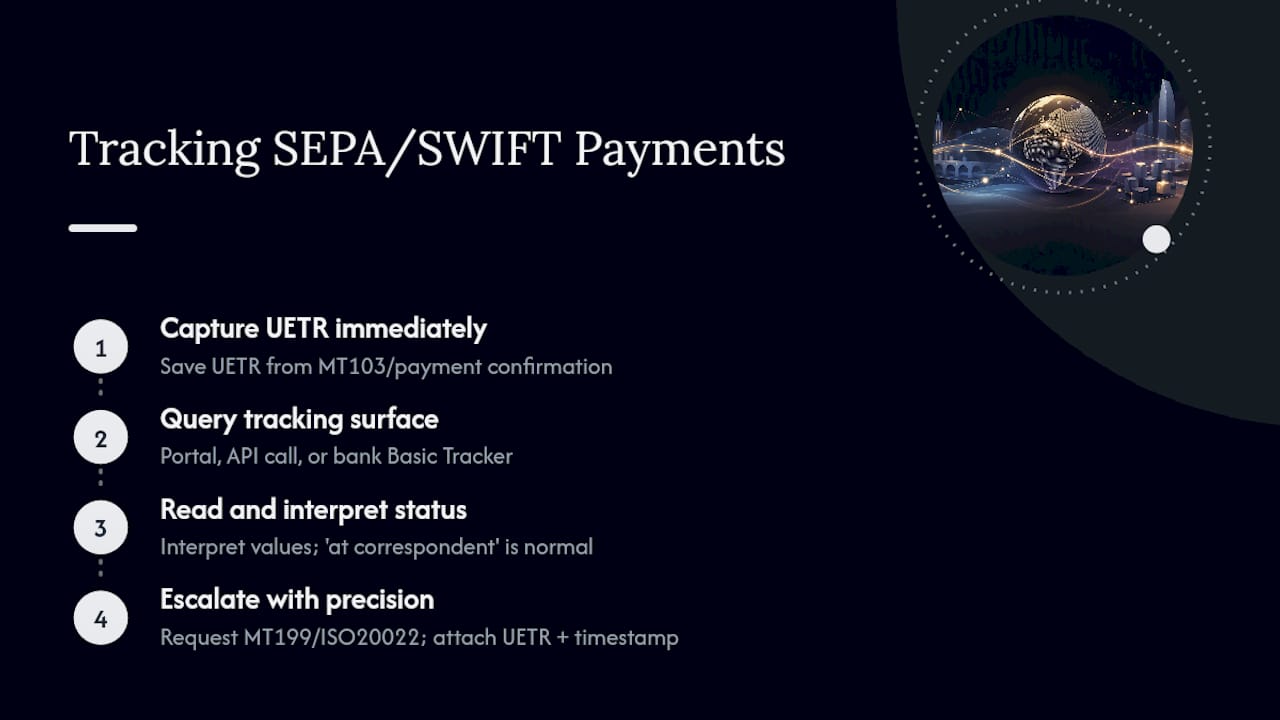
Step 1: Capture the UETR immediately after send. The UETR appears in field 121 of MT103 messages and in the payment confirmation your bank issues at initiation. Save it in your payment log before you do anything else, because retrieving it later means calling the bank and waiting.
Step 2: Query the tracking surface. Log into your bank’s corporate portal or, if you have a corporate-to-bank API integration, call the payment status endpoint directly with the UETR. Smaller businesses without gpi Tracker access can ask their bank to run a Basic Tracker search, which is free to SWIFT member banks and covers basic search and manual confirmation needs.
Step 3: Read the status correctly. Standard values include sent/in transit, at correspondent, credited to beneficiary, returned, and pending. “At correspondent” simply means the payment is sitting with an intermediary bank processing its leg of the chain, not that anything is wrong. “Pending” beyond 24 to 48 hours on a SWIFT payment warrants a look.
Step 4: Escalate with precision. If a payment stalls, contact the originating bank (never the beneficiary bank directly) and request a status inquiry message, either an MT199 or its ISO 20022 equivalent. Attach the UETR, the debit timestamp, and a copy of your payment confirmation.
Pro Tip: Include the UETR and exact debit timestamp in your very first message to the bank. Escalations that arrive without both routinely bounce back with a request for the same information, adding a full business day to resolution.
What Are UETR, SWIFT GPI, and the SWIFT Tracker?
The UETR is a unique identifier UETR details attached to a SWIFT payment message, functioning as a single source of truth that any bank in the chain can use to locate and report on that exact payment. Think of it as a parcel tracking number: instead of a courier and a warehouse, you have a correspondent bank network, and instead of “out for delivery,” you get “credited to beneficiary.”
SWIFT GPI is the infrastructure that makes that tracking number useful. Banks tag payments with the UETR and post status updates to a central Tracker, giving visibility into processing time, which intermediaries touched the payment, what fees were deducted, and when the beneficiary was ultimately credited, according to ACI Worldwide.
Two dates matter for context:
- From the November 2018 Standards MT release onward, UETR inclusion has rolled out across relevant SWIFT message types.
- Since 2020, universal confirmations have required participating banks to confirm final payment status in the Tracker, closing the gap where a payment could go quiet after leaving the originating institution.
SWIFT’s own guidance notes that originating institutions must generate the UETR and every intermediary must pass it along unchanged, which is what keeps the reference consistent end to end.
How Do You Integrate Payment Tracking Into Your Finance Stack?
Manually checking a bank portal works for one payment. It falls apart at fifty. Integration is what turns tracking into a reconciliation system rather than a daily chore.
Start with your integration options, ranked by reliability:
- Corporate-to-bank APIs for direct, structured status pulls tied to a UETR.
- TMS or ERP connectors that ingest tracking data automatically rather than requiring manual entry.
- Open Banking / PIS-driven flows, which are increasingly replacing bulk file uploads in Europe and support tracking as a native part of the payment initiation flow.
- Bank portal lookups, useful as a fallback, not a system of record.
A clean field-mapping schema looks like this: UETR maps to your internal payment_id, which maps to the invoice_id, alongside timestamp, current status, intermediary list, and fees deducted. That schema is what lets a mid-sized finance team reconcile hundreds of transfers without opening a single bank portal manually.
On cadence, webhooks beat polling whenever your bank or provider supports them. Polling every few hours is a reasonable fallback for daily reconciliation runs.

Pro Tip: Structure your payments database with the UETR as a unique key rather than a secondary field. It becomes the join column across your bank data, your ERP, and your audit logs, which matters enormously the first time a beneficiary disputes a payment that was actually delivered.
What Are the Best Practices for Reconciliation and Exception Handling?
UETR-first reconciliation follows a simple hierarchy: match on UETR first, and only fall back to amount plus timestamp plus account number when a UETR is genuinely unavailable. That fallback is noisier, since it can produce false matches on round-number payments sent the same day.
Build your workflow around five stages:
- Status detection: pull the current Tracker status via API or portal.
- Automated match: reconcile UETR against your open invoice batch.
- Manual review: route unmatched or partial-credit items to a human.
- Escalation: send a status inquiry if the payment is stuck past your SLA.
- Confirm and close: record the final Tracker confirmation against the invoice.
Common exceptions worth building rules for:
- Compliance holds, which show as extended “pending” status; resolve by contacting the originating bank for an update, not the beneficiary side.
- Beneficiary mismatch, usually a name or IBAN discrepancy caught mid-chain.
- Intermediary routing delays, where a correspondent bank adds a leg you didn’t anticipate.
- Partial credits or fee reclaims, which need their own reconciliation line rather than being forced into a full match.
For audit purposes, retain Tracker status snapshots, MT199 responses, and original bank confirmations. That documentation is what supports a dispute or refund claim months after the fact.
Why Is My Wire Transfer Delayed and How Do You Fix It?
Four causes account for most stalled transfers. Beneficiary account details entered incorrectly or misinterpreted by an intermediary bank is the most common, and the fix is confirming the IBAN directly with the beneficiary before resending. Compliance or AML holds are second; these require contacting the originating bank, since they cannot be resolved by chasing the beneficiary side. Intermediary banks occasionally reject or hold cover payments over documentation gaps, which your originating bank must clear on your behalf. Time-zone and settlement-window effects cause a fourth category of apparent delay that resolves itself within a business day.
When escalating, keep the message short: “Requesting status update for UETR [36-character reference], sent [date], amount [currency/value], from [ordering IBAN]. Please confirm current Tracker status or initiate an MT199 inquiry.”
Trigger a formal MT199 or ISO 20022 status inquiry once a payment sits in “pending” or unchanged status for more than two business days on a cross-border transfer.
How Do You Track a Payment Without a UETR?
Legacy or non-gpi payments lack the clean tracking path SWIFT GPI provides, but they aren’t untraceable. Gather every available reference: the sender’s payment ID, exact debit timestamp, fee amounts charged, and any correspondent bank names mentioned on the confirmation.
- Ask the originating bank to trace the payment manually through the correspondent chain.
- Request a copy of the cover message if one exists.
- Set realistic SLA expectations. Manual correspondent tracing can take several business days.
Going forward, add a clause to vendor and partner payment agreements requiring senders to supply the UETR and a bank confirmation copy for any cross-border transfer above a set threshold. It costs nothing to ask for and eliminates most of this problem before it starts.
Why UETR Should Be Your Canonical Payment Key
Treating the UETR as the canonical reference, not a nice-to-have field, changes how finance teams operate day to day. It becomes the one identifier every bank in the chain recognizes, which cuts the phone calls and email chains that used to consume hours per stalled payment. Update your SOPs, vendor contracts, and bank onboarding checklists to require UETR capture at the point of payment. Treat any transfer without one as an exception, not the default.
How Demivolt Simplifies Payment Tracking and Reconciliation
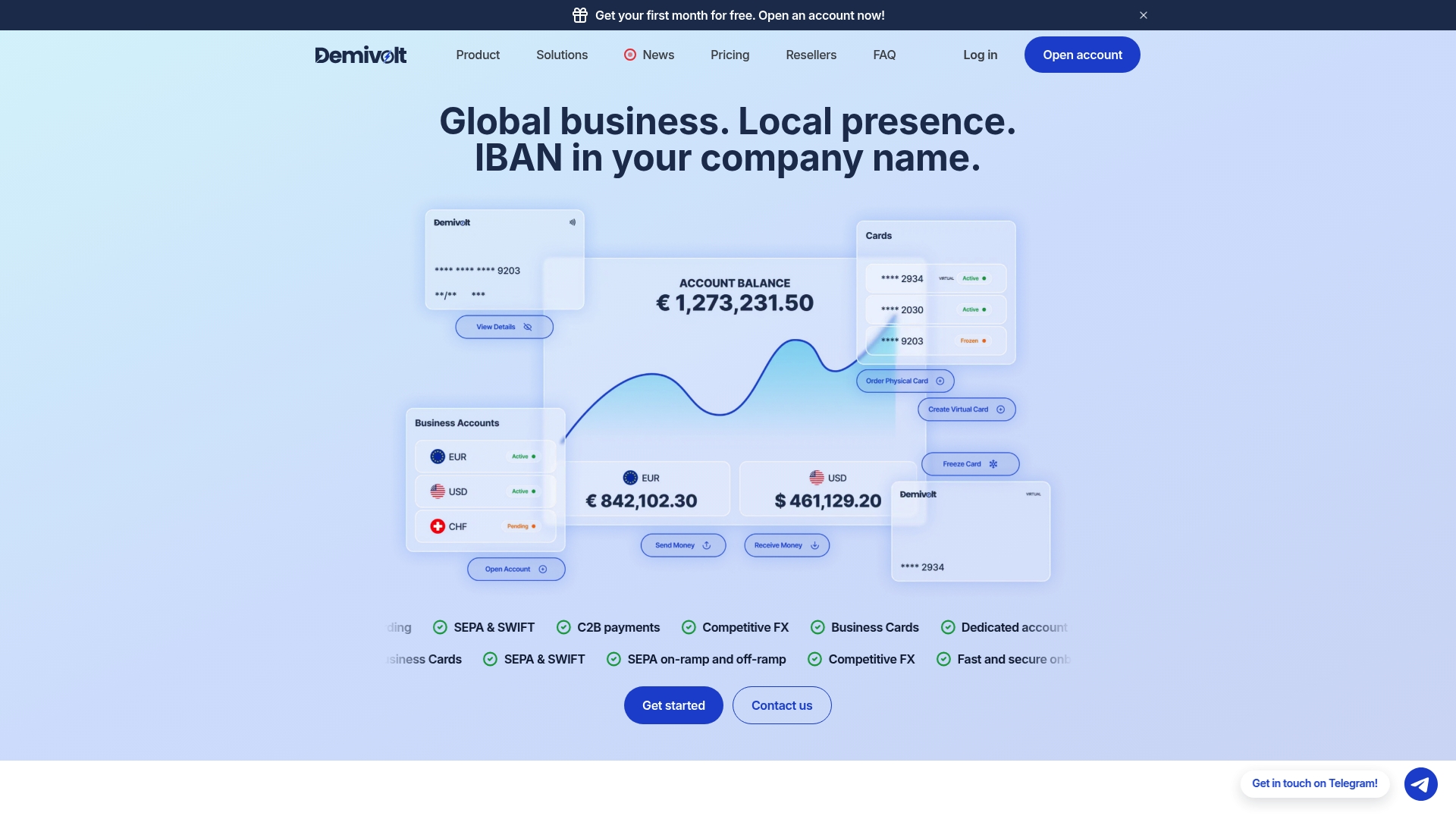
Chasing a UETR through a legacy bank portal, then manually re-keying it into your accounting system, is the exact friction Demivolt was built to remove. As a regulated European business banking platform, Demivolt gives finance teams dedicated IBAN accounts alongside SEPA and SWIFT payment processing where tracking data flows directly into your workflow instead of sitting in a PDF confirmation.
If you’re evaluating a banking partner for this, a demo is worth asking pointed questions: does the platform expose corporate-to-bank API access, does the UETR appear automatically on payment receipts, are there automated reconciliation connectors for your accounting system, and is there audit logging you can hand to an auditor without extra work? Before you send your next cross-border payment, run the beneficiary’s account details through Demivolt’s free IBAN validator to catch formatting errors before they cause a delay, and browse the broader set of SEPA tools built for exactly this kind of operational check.
Where to Read More on SWIFT Tracking Standards
For deeper technical grounding, start with SWIFT’s own documentation on the UETR standard and the Basic Tracker for implementation detail on free member access. ACI Worldwide’s overview of SWIFT gpi explains the fee and intermediary visibility the Tracker provides. For a practical walkthrough, see Rzifi’s step-by-step tracking guide, and for SEPA-specific rails, Stripe’s explainer on SEPA transfers covers euro-payment timing and identifiers.
- SWIFT: authoritative for UETR and universal confirmation standards.
- ACI Worldwide and Rzifi: strongest on implementation detail and step-by-step tracking.
- Stripe and Hyperbots: best for SEPA-specific tracking behavior and exception patterns.
Frequently Asked Questions
What is the fastest way to track a money transfer for a business payment? Get the UETR from your bank at the time of sending, then query the SWIFT GPI Tracker, Basic Tracker, or your corporate API. This is faster than calling your bank and waiting on a manual trace.
Can I track a SWIFT transfer without a UETR? Yes, but it’s slower. You’ll need the sender’s payment reference, exact timestamp, and fee details, and your bank will need to manually trace the payment through the correspondent chain.
How do I know if a SEPA payment is actually delayed? SEPA Instant transfers typically complete within seconds; standard SEPA credit transfers settle within one business day. If a standard SEPA payment shows no status update after 24 hours, treat it as an exception.
What information should I include when escalating a stalled transfer? Include the UETR, payment date, amount, ordering IBAN, and a request for either a Tracker status update or an MT199/ISO 20022 inquiry.
Do all banks support SWIFT GPI tracking? Most SWIFT member banks support at least the free Basic Tracker for manual search and confirmation. Full gpi Tracker automation and API access vary by institution.
This article is general information, not a substitute for advice from a qualified financial advisor. Consult a qualified financial professional about your own circumstances before acting on anything here.
Sources
- Basic Tracker | Swift
- What is SWIFT gpi? | ACI Worldwide
- Tracking a SWIFT payment: step-by-step | Rzifi
Recommended
- Demivolt | Blog – How to Track an International Wire Transfer: UETR & SWIFT GPI
- Demivolt | Blog – Business Accounts for Cross-Border Payments: SME Guide
- Demivolt | Blog – SWIFT payment guide: faster transfers for European SMEs
- Demivolt | Blog – SEPA transfer best practices for SMEs: faster, safer payments