

Download four templates today: an invoice, a payment authorization form, a payment schedule, and a payment tracker. Build the invoice and tracker in Excel or Google Sheets for calculations and running totals, draft the authorization form and any contract language in Word or Docs, and finalize client-facing versions as PDF. Once populated with your company details, export everything as CSV for your accounting system.
TL;DR:
- Matching your invoice and payment tracker reference numbers to your bank export format significantly reduces unmatched payments during reconciliation.
- Using CSV for importing data into your accounting system and PDF for finalized client documents ensures smoother workflows and secure document delivery.
- Keep core templates simple, up-to-date, and include essential fields like company registration, clear currency, payment terms, and legal notes to stay compliant and avoid errors.
- Automating payment status updates through API-connected banking data minimizes manual reconciliation work and reduces data entry mistakes.
- Employing a dedicated business account with structured exports and role-based access improves data clarity, speeds up reconciliation, and enhances audit readiness.
DemivoltBring More Control to Business PaymentsDemivolt helps businesses manage dedicated IBAN accounts, cross-border payments, and role-based access through regulated digital banking infrastructure.Explore Demivolt
Table of Contents
- Choosing the Right File Format for Payment Templates
- Core Payment Templates Every Business Should Keep Ready
- Make Templates Reconciliation-Friendly for Accounting Imports
- Customization and Legal Checklist Before Sending Payment Documents
- How Regulated Banking Infrastructure Supports Template Workflows
- Handling Multilingual or Cross-Border Payment Templates
- Payment Security and Compliance Best Practices for Templates
- Connecting Payment Templates to Gateways and Automation Tools
- Rollout Priorities and Common Pitfalls
- How Demivolt Fits Into Your Template Workflow
- Sources
- FAQ
Choosing the Right File Format for Payment Templates
The format determines how much manual work you do later. Excel and Google Sheets handle anything with math: totals, VAT lines, running balances, or a payment tracker that needs to sum receipts automatically. ProjectManager’s collection of payment and billing templates includes Excel versions with built-in formulas for tax and totals, and Sheets versions with real-time collaboration for multiple users.
Word and Docs suit anything with narrative content: payment terms, late-fee clauses, or a receipt that needs explanatory text alongside the numbers. PDF is for the finished product. Once an invoice or authorization form is signed off, converting it to PDF locks the layout and prevents accidental edits, which matters when the same document doubles as a legal record.
Online forms fill a different gap. They let customers submit card details directly into a secure gateway instead of typing them onto a document you have to store. Smartsheet’s payment template library confirms Excel, Word, and PDF as the three formats most business templates ship in, but a hosted form is the safer choice whenever a live payment is involved.
For export, keep it simple:
- Use CSV when feeding data into accounting software.
- Use PDF when sending a finished document to a client.
- Use a shared cloud link (Sheets or Docs) when a form needs input from more than one team member.
Pro Tip: Keep one master spreadsheet driving your numbers, then generate the Word or PDF versions from it. Editing two separate files for the same invoice is how totals stop matching.
Core Payment Templates Every Business Should Keep Ready
Several templates cover most payment scenarios a small or midsize business encounters. Each one needs specific fields to be usable the moment you open it, not just a rough starting point.
- Invoice. Include payer and payee details, a unique invoice number, issue and due dates, line-item descriptions, VAT or PVM fields where applicable; the total due, payment instructions, and your bank details. Smartsheet’s baseline template treats these fields as standard across formats.
- Payment form or authorization. Capture payer details, a reference code, the amount, checkboxes for payment method, and a signature line. Never record a full card number on a printed or emailed version. OnlineFormTemplates’ payment form guidance flags this as a direct PCI risk
- Payment schedule. List milestones, percentages owed at each stage, due dates, and the linked invoice number for each installment. This is where recurring or project-based billing avoids confusion later.
- Payment tracker. Track status, amount received, bank reference, date received, and the initials of whoever reconciled the entry. This one document becomes your reconciliation source of truth.
- Receipt or proof of payment. Keep it minimal: amount, date, method, and a confirmation that settlement occurred. Anything more belongs on the invoice, not the receipt.
Make Templates Reconciliation-Friendly for Accounting Imports
Most reconciliation delays trace back to one thing: a reference number on the bank statement that does not match anything in your books. Fixing that starts at the template level, before the payment even happens.
- Standardize your invoice-number and reference format so it matches what your bank export produces. A consistent invoice numbering pattern is easier to search and match than ad hoc labels.
- Add a dedicated “bank reference” column to your tracker and a “payment reference” field on every invoice. Asking customers to quote that code in their transfer tends to reduce unmatched payments significantly.
- Export as CSV using ISO date formatting and consistent currency codes when importing into your accounting platform, as mixed date formats are a common cause of failed imports.
- Where your bank supports it, use CAMT.053 or similarly structured export files and map their column names directly to your tracker’s columns. Modern Lithuanian accounting platforms increasingly automate this matching once the mapping is set.
- When a payment lands without a matching reference, flag it in the tracker rather than guessing. A short “unmatched, pending review” status column keeps the reconciliation queue visible instead of buried in email threads.
Pro Tip: Map your bank’s export columns (date, amount, currency, reference, counterpart name) to your tracker just once. That single setup step saves you from redoing the same manual matching every month.
Customization and Legal Checklist Before Sending Payment Documents
A template only protects you if it carries the right details before it goes out the door. Run through this checklist before sending anything to a client or vendor.
- Include your company’s registration number and VAT/PVM number where applicable, along with full contact details.
- Show currency clearly and separate the tax line from the subtotal. If an item is VAT-exempt, state that explicitly rather than leaving the line blank.
- Set explicit payment terms (net 14, net 30) and state your late-fee policy in plain language, not fine print.
- Record a version number and date on every template so old copies don’t circulate by accident.
- Never store or transmit full card numbers on invoices or forms. Direct customers to a secure payment link or terminal instead, in line with PCI-safe form guidance.
- Assign one internal approver for template changes so edits don’t happen in five different versions across the team.
Lithuanian invoice templates typically add a registration number field and a PVM percentage line, and Lithuania-specific invoice guidance recommends keeping VAT calculations in a spreadsheet rather than typed manually into a Word document, where a transposed digit is easy to miss.
How Regulated Banking Infrastructure Supports Template Workflows
Templates only get you halfway. The other half is what happens after a customer actually pays, and that’s where your banking setup either saves you hours or costs you them. A dedicated IBAN per account or client segment routes incoming payments into a predictable ledger, so the “bank reference” column on your tracker has less noise to sort through in the first place.
Export formats matter just as much as the account structure. A bank export that already uses payment-purpose codes and structured references reduces the manual mapping work described in the reconciliation section above. Where an API connection is available, transaction lines can push directly into a tracker, and paid invoices can be flagged automatically rather than checked by hand one at a time.
A typical automated workflow looks like this:
- Customer pays using the reference code from the invoice.
- The bank generates an export (CSV or CAMT format) with that reference intact.
- The reference maps to the invoice number in your tracker.
- The invoice status updates to “paid” without anyone retyping the amount.
None of this requires abandoning your spreadsheet. It just means the account behind it produces cleaner data. Reconciliation-focused accounting tools built around bank imports show measurable time savings once that reference discipline is in place across even a handful of recurring clients.
Handling Multilingual or Cross-Border Payment Templates
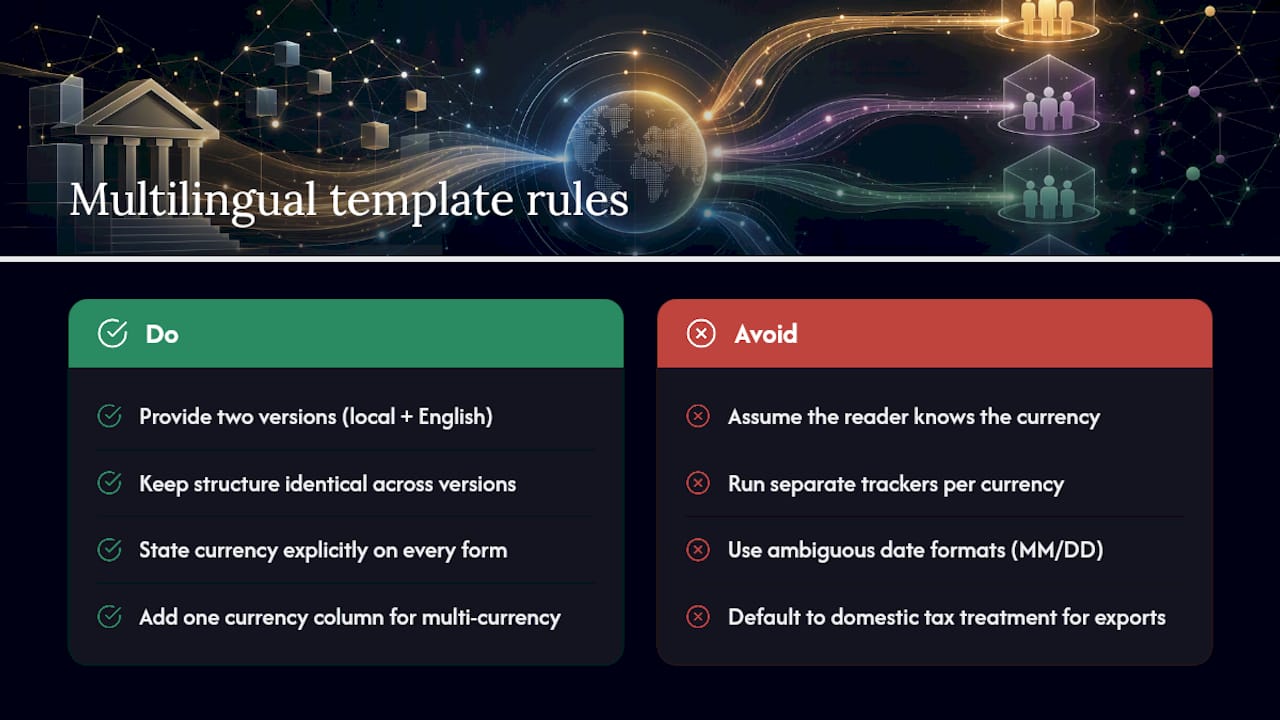
Any business invoicing outside its home market needs at least two versions of its core templates: one in the local language for domestic clients, one in English (or the client’s language) for cross-border work. Keep both versions structurally identical. Same field order, same numbering scheme, same reference format. Only the labels and any legal language should change.
Currency handling deserves its own line item. State the currency explicitly on every invoice and payment form, never assume the reader knows it from context. If you invoice in more than one currency, add a currency column to your payment tracker instead of running separate trackers per currency. That single column makes month-end totals far easier to reconcile against a multi-currency business account.
Dates are the most common source of cross-border confusion. A date written as 03/04/2026 means March 4 in the United States and April 3 almost everywhere else. Switch to ISO format (2026.04.03) on any template that crosses borders, and the ambiguity disappears entirely.
VAT and tax treatment also shift by jurisdiction. A template built for a domestic PVM line won’t automatically apply to a reverse-charge transaction with an EU business client, so keep a separate tax note field for cross-border invoices that flags the applicable treatment rather than defaulting to your standard local rate. When in doubt, note the treatment in plain language on the invoice itself so the client’s own accounting team can verify it without a follow-up email.
Payment Security and Compliance Best Practices for Templates
The single biggest security mistake in payment templates is recording data that shouldn’t exist on paper in the first place. Full card numbers, expiration dates, and CVV codes have no place on an invoice, a payment form, or a receipt. PCI-focused guidance on payment forms is explicit on this point: use method checkboxes and route the actual transaction through a secure gateway or terminal instead.
Access control matters almost as much as field design. If your payment tracker lives in a shared spreadsheet, restrict edit access to the people who actually reconcile payments, and give everyone else view-only. A tracker that anyone in the company can edit is a tracker where numbers quietly drift from the bank record.
Version control closes the remaining gap. Keep template changes in a single folder with dated versions, so a client dispute over “which invoice did you send me” has a clear paper trail. Pair that with consistent numbering (sequential, never reused) and you’ve covered most of what an auditor or a bank’s compliance team will ask about during a routine review.
Finally, treat any template touching payment authorization as a document that needs a signature or explicit confirmation, not just a filled-in form. That single line of accountability is often what separates a recoverable dispute from an unrecoverable one.
Connecting Payment Templates to Gateways and Automation Tools
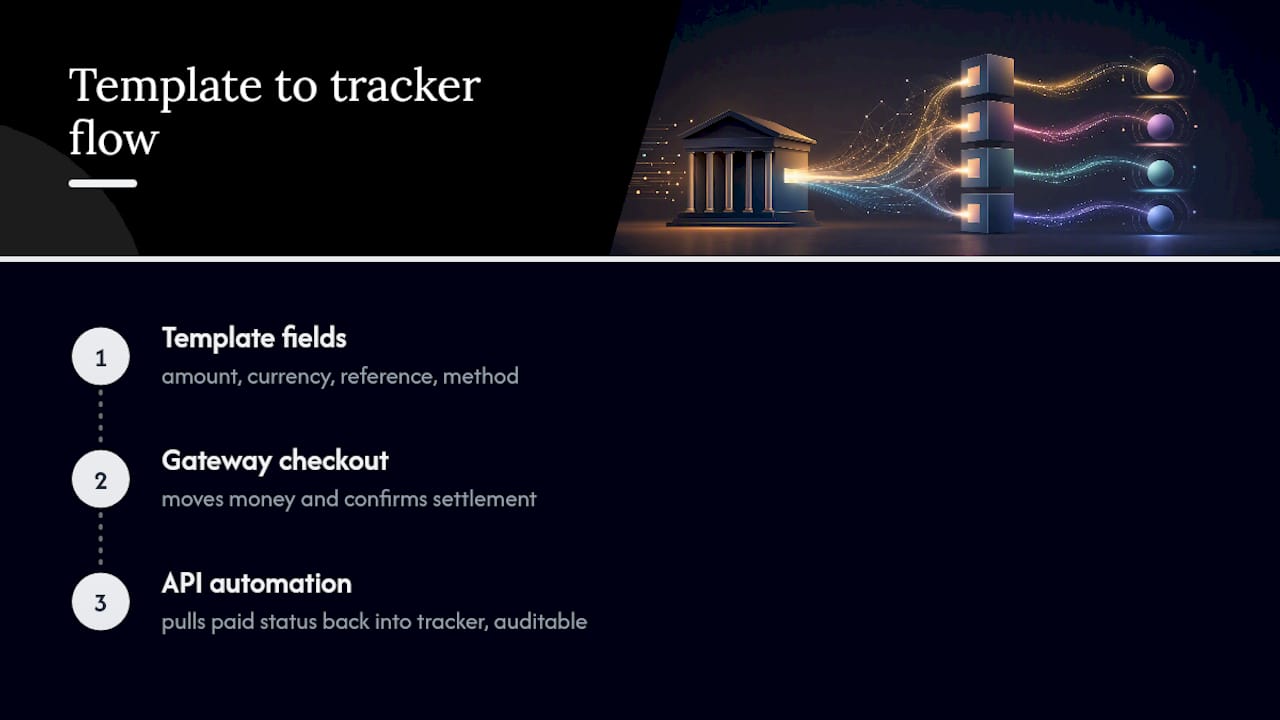
A static template does one job well: it defines the fields. A payment gateway or automation tool does the other job: it moves money and updates status. The two work best when they’re built to talk to each other from the start, rather than bolted together after the fact.
Practically, that means designing your payment form or authorization template with fields that match what your gateway actually needs, amount, currency, reference, and method, so the data can be pushed straight into checkout without reformatting. It also means keeping your invoice numbering scheme identical to whatever key your automation tool uses to look up records, since a mismatch there is what forces someone to reconcile manually later.
Automation tools built around APIs can pull a paid status back into your tracker automatically once a gateway confirms settlement, closing the loop without a spreadsheet update. Guidance on automating business payments while staying compliant covers how that kind of API-driven flow reduces the manual steps between “customer pays” and “invoice marked paid” without sacrificing the audit trail compliance teams expect. The templates don’t disappear in this setup, they just stop being the only record of what happened.
Rollout Priorities and Common Pitfalls
Start with the invoice and the tracker. Those two carry the most reconciliation value and the least complexity, so get them right before adding specialized forms. Assign one person to own the template folder and lock it down with version control, not five people editing five copies. Resist the urge to mix free formats haphazardly, one team on Word, another on a random online generator. Standardize your reference format and currency handling across every template before you scale to more clients or vendors.
— dd
How Demivolt Fits Into Your Template Workflow
A dedicated business account that produces clean, structured data instead of a jumbled transaction feed can speed up reconciling invoices and trackers compared to using generic spreadsheet templates and a personal bank account.
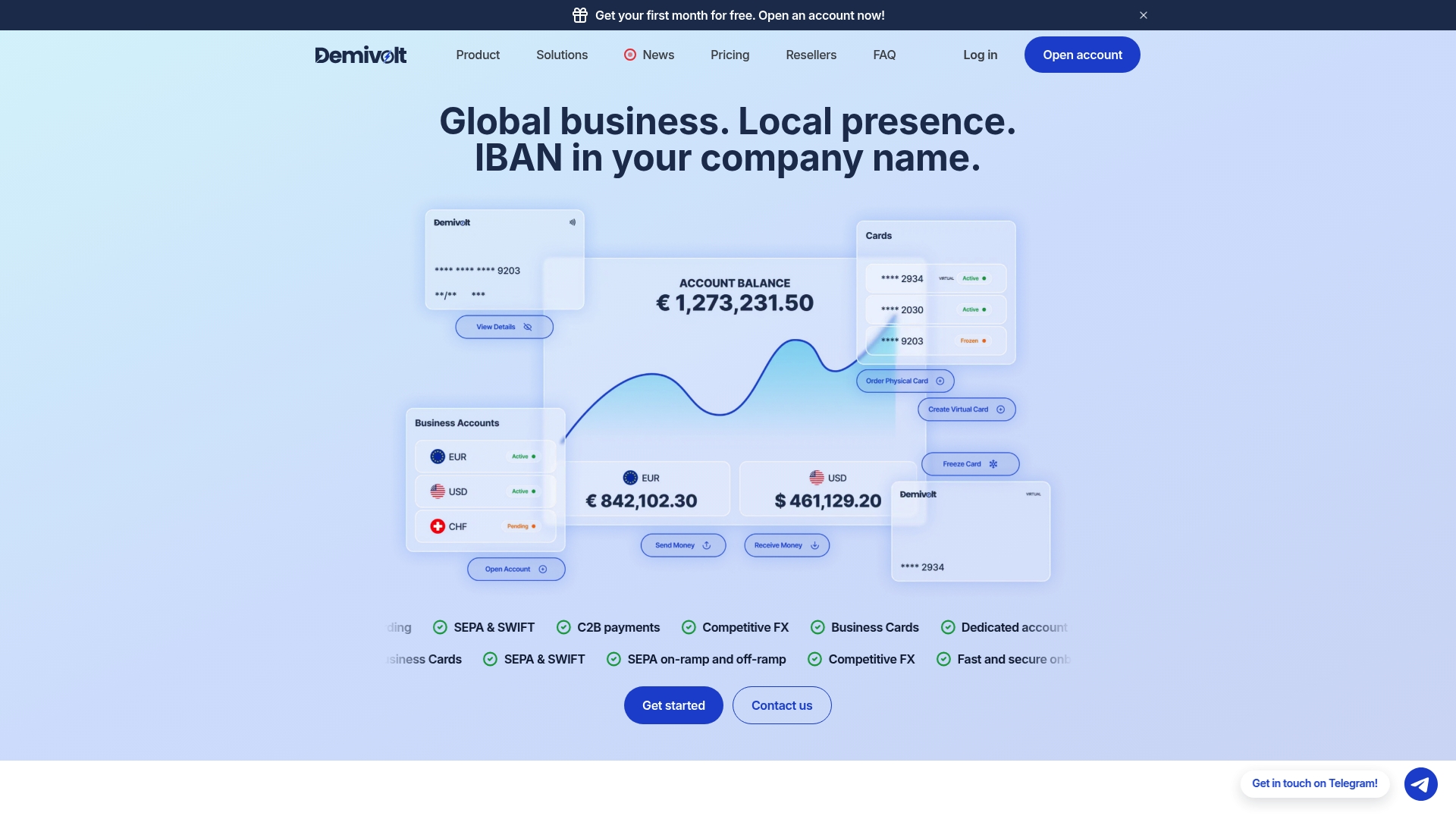
With a dedicated IBAN through Demivolt’s business accounts, incoming payments land in a predictable ledger that matches cleanly against the bank reference field on your tracker. SEPA and SWIFT support covers both domestic and cross-border invoicing without switching providers, and multi-account structures let you separate client payments by currency or project the same way your cross-border templates already do. Combine that with role-based access, and the person reconciling your tracker sees exactly what they need without exposing the full account. The result is fewer manual reconciliations and an audit trail that holds up when a client or a bank asks for one.
If your reconciliation process still runs on guesswork, start by opening a business account and connecting its exports to the tracker template you build this week.
Sources
- 12 Free Payment Templates | Smartsheet
- 14 Free Payment & Billing Templates for Excel, Word & Google Sheets - ProjectManager
- Free Payment Form Template
- Invoice templates (Lithuania) - i24app
FAQ
What Are the Most Important Payment Templates for a Small Business?
The invoice, payment authorization form, payment schedule, payment tracker, and receipt cover nearly every payment scenario a small business handles. Start with the invoice and tracker since those two carry the most reconciliation value, then add the others as your billing volume grows.
Which File Format Should I Use for Payment Templates?
Use Excel or Google Sheets for anything involving calculations, like invoices with VAT lines or a payment tracker with running totals. Use Word or Docs for contractual language, and PDF once a document is finalized and ready to send.
How Do I Make My Payment Templates Reconciliation-Friendly?
Add a dedicated bank reference field to your invoices and a matching column on your tracker, then keep your invoice numbering format consistent with what your bank’s export produces. This single habit is what Smartsheet’s reference-field guidance points to as the biggest reducer of unmatched payments.
Is It Safe to Record Card Numbers on a Payment Form?
No. Printed or emailed payment forms should never include full card numbers, since that creates unnecessary PCI exposure. Use method checkboxes on the form and route the actual transaction through a secure online payment form or gateway instead.
Does Demivolt Offer Tools That Work With Payment Templates?
Demivolt provides dedicated IBAN business accounts with SEPA and SWIFT support, which produce structured exports that map directly to tracker templates for faster reconciliation. Pricing details for business accounts and other services are available directly on the Demivolt site.